
You can set a sleep pattern according to the usage activity. Use Web Config to make this setting.
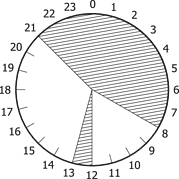
Example of one day sleep schedule:
The printer enters sleep mode during the time in the shaded areas.
Access Web Config and select the Device Management tab > Power Saving > Sleep Schedule.
Set a Start Time and a Power Saving Mode for up to five time periods throughout the day.
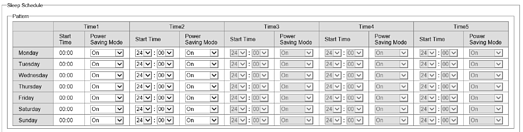
The following are the Power Saving Mode options.
Click OK.