
You can bind multiple documents saved in storage into a single document and print them. You can also change the print settings.
For example, if you bind document A and document B into a single document and specify two copies, you can print two copies of the bound document.
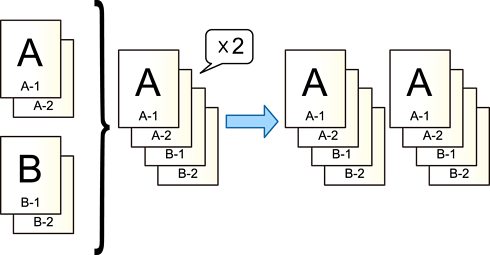
Select Storage on the printer's control panel.
Select the folder containing the file you want to print, and then select Open.
Select the documents you want to bind and print.
The documents are bound in the order you select.
Select Others, and then select Print Multiple Files.
Set the number of copies.
Set the print settings if necessary.
Tap  .
.