
Place originals on the scanner glass or the ADF.
You can place multiple originals in the ADF. If auto duplex scanning is available, you can scan both sides of the originals at the same time.
See the link below for the specifications of the ADF.
Follow the steps below to view the animated instructions for placing originals.
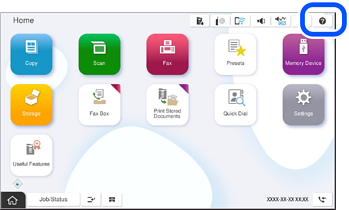
Select  , and then select How To > Place Originals. Select the method of placing originals you want to use, and then select How To to display the animated instructions. Select Close to close the instruction screen.
Be careful not to trap your fingers when closing the document cover. Otherwise you may be injured.
When placing bulky originals such as books, prevent exterior light from shining directly onto the scanner glass.
If exterior light is too strong, the size of your original may not be automatically detected or the scans or copies may be blank.
Do not apply too much force to the scanner glass. Otherwise, it may be damaged.
Do not press with too much force on the original. If you press with too much force, blurring, smudges, and spots may occur.
If the original has marks from folding or wrinkles, smooth them out, and then place them on the scanner glass. Images may be blurred in the areas where the original is not in close contact with the scanner glass.
If there is any dust or stains on the scanner glass, the scanning range may expand to include it, so the image of the original may be displaced or reduced. Remove any dust or stains on the scanner glass before scanning.
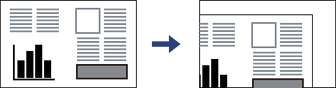
Remove the originals after scanning. If you leave the originals on the scanner glass for a long time, they may stick to the surface of the glass.
The area 1.5 mm (0.06 in.) from the edges of the scanner glass is not scanned.
When originals are placed in the ADF and on the scanner glass, priority is given to the originals in the ADF.
Some sizes may not be automatically detected. In this situation, manually select the size of the originals.
When placing a bulky original such as a book, you may be able to scan it clearly by lightly pressing the center of the book with your finger without closing the document cover and enabling the Remove Shadow function.
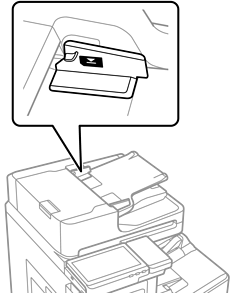
Do not load originals above the line just under the triangle symbol on the ADF edge guide.
Do not add originals while scanning.
You can place originals smaller than Letter or A4 size with the long edge facing toward the ADF.
Some sizes may not be automatically detected. In this situation, manually select the size of the originals.