
Load a single sheet of long paper in the paper tray with the printable side facing up. Select User-Defined as the paper size setting.
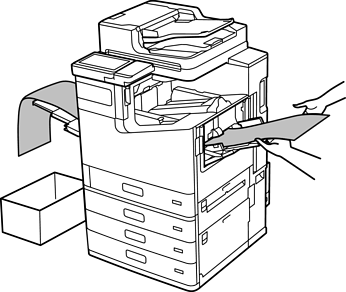
If paper is too long for the face up tray, make sure to set up an alternate method to hold the ejected paper so that it does not fall on the floor.
Do not touch paper that is being ejected. It could injure your hand or cause print quality to decline.
When loading long paper, be careful not to cut your hands on the edges of the paper when holding it.