
Epson
 

    AM-C550 Series/AM-C400 Series

    User's Guide

    > Preparing the Printer and Making Initial Settings > Preparing and Setting Up the Printer According to Use > Contacts Registration

    Contacts Registration

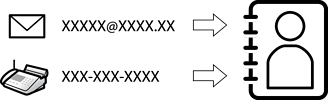
    Registering destinations in the printer's contacts list allows you to easily enter the destination when scanning or sending faxes.

    Note:

    You can register the following types of destinations in the contacts list. You can register up to 2,000 entries in total.

    Fax

    Destination for fax

    Email

    Destination for email

    You need to configure the email server settings beforehand.

    Network Folder (SMB)

    Destination for scan data and fax forwarding data

    Network Folder/FTP

    • Contacts Configuration Comparison

    • Registering Contacts

      • Registering a Destination to Contacts from Web Config

      • Registering Contacts from the Printer's Control Panel

    • Registering Destinations as a Group

      • Registering Destinations as a Group from Web Config

      • Registering Destinations as a Group from the Printer's Control Panel

    • Registering Destinations to Contacts (when Using IP Fax)

      • Registering a Destination to Contacts from Web Config (when Using IP Fax)

      • Registering a Destination to Contacts from the Printer's Control Panel (when Using IP Fax)

      • IP Fax Destination

    • Registering Frequently Used Contacts (Assign to Frequent Use)

      • Registering Frequently Used Contacts from Web Config

      • Registering Frequently Used Contacts from Printer's Control Panel

    • Exporting and Importing Contacts

      • Exporting and Importing Contacts Using Web Config

      • Exporting and Importing Contacts Using Epson Device Admin

    Print Selected Pages

    © 2024-2026 Seiko Epson Corp.