
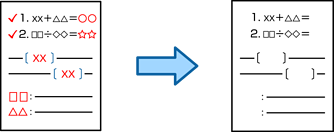
You can make copies with any red characters in the originals erased.
See the following for more details.
This feature can be used by registering the license key.
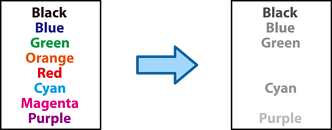
Depending on the original, red may not be completely erased. Also, colors that are close to red, such as orange, may be erased or replaced by light black.
Place the originals.
Select Copy on the home screen.
Select the Advanced tab, and then enable Erase Red Color.
The preview screen displays an image of the original before red characters are erased.
Tap  .
.