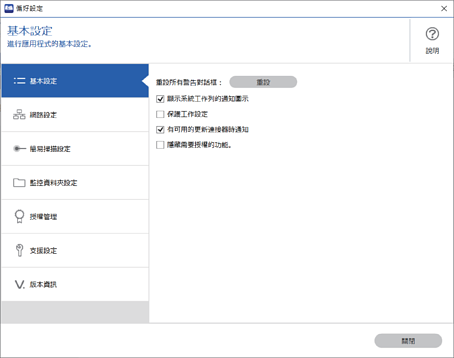
您可以在 [偏好設定] 畫面上進行基本軟體設定。
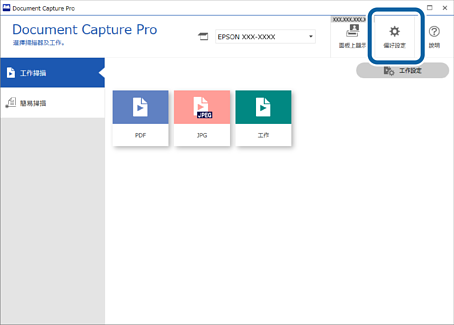
若要顯示偏好畫面,在 Document Capture Pro 最上層畫面上按下 [偏好設定]。
[基本設定] 畫面
[網路掃描設定] 畫面
[簡易掃描設定] 畫面
[監控資料夾設定] 畫面
授權管理 畫面(限特定機種)
[支援設定] 畫面
最前面
 /
掃描(基本操作) /
基本軟體設定
/
掃描(基本操作) /
基本軟體設定
/
掃描(基本操作) /
基本軟體設定
/
掃描(基本操作) /
基本軟體設定