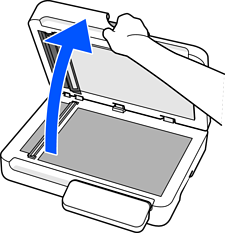
Open the document cover.
Place the original face-down and align it with the corner.
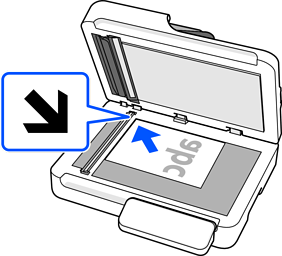
The maximum size of the original you can scan is 215.9×297.1 mm (8.5×11.7 in.).
There are areas at the top, bottom, left, and right edges of the scanner glass that cannot be scanned.
Top: 1.5 mm (0.06 in.)
Left: 1.5 mm (0.06 in.)
Right: 8 mm (0.31 in.)
Bottom: 15 mm (0.59 in.)
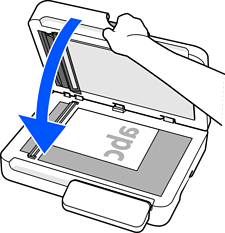
Close the document cover gently so that your original does not move.