
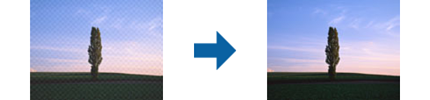
If the original is a printed document, moiré patterns (web-like shadows) may appear in the scanned image.
Select Descreening on the Advanced Settings tab in Epson Scan 2 screen.
When you are using Document Capture Pro, you can open the Epson Scan 2 screen by pressing the Detailed Settings button on the Scan Settings screen. Select Descreening on the Advanced Settings tab.
Change the resolution, and then scan again.