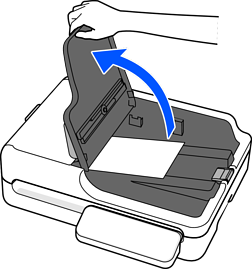
Check the following before scanning.
Make sure there are no originals on the scanner glass.
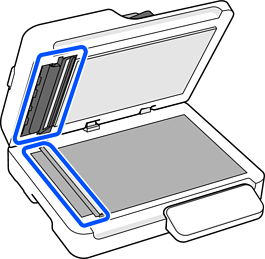
Make sure there is no dust or dirt in the areas indicated in the following illustration.
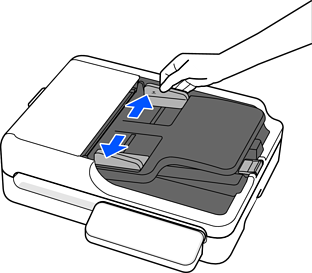
Slide the edge guides on the input tray all the way out.
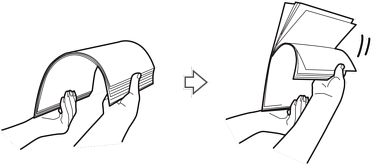
Fan the originals.
Hold both ends of the originals and fan them a few times, and then tap the top edges of the paper on a flat surface to align the sheets.
Place the originals into the input tray facing up with the top edge facing into the ADF.
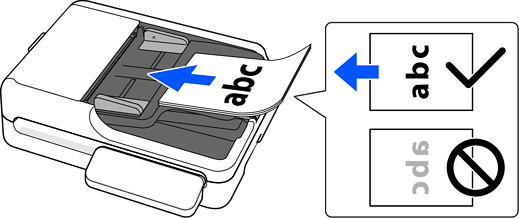
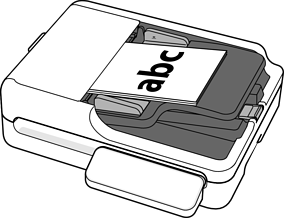
Slide the original into the ADF until it meets resistance.
Check the following when loading originals with punch holes, such as loose-leaf paper.
There are no holes within 15 mm (0.59 in.) to the left and right of the center of the original (a width of 30 mm (1.18 in.)).
There are no burrs or curls at the edges of the punch holes.
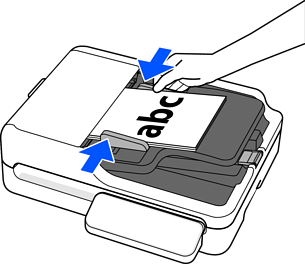
Adjust the edge guides to fit the original without any gap. Otherwise, the originals may be fed skewed.
When scanning small originals or scanning with the stopper raised, lift the input tray to remove the scanned originals.