
Never use alcohol, thinner, or any corrosive solvent to clean the scanner. Doing so could cause deformation or discoloration to occur.
Never spray any liquid or lubricant on the scanner. Damage to equipment or circuits may cause abnormal product behavior.
Never open the scanner case.
Open the ADF cover.
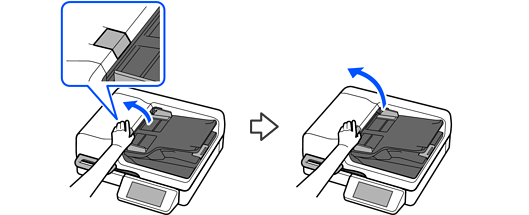
With the ADF cover open, open the document cover.

Obtain a cotton swab.
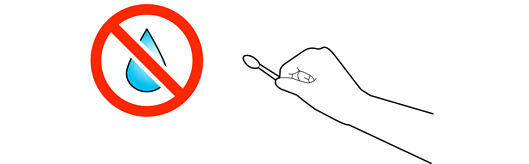
Do not soak the cotton swab with water, cleaner, or other liquids.
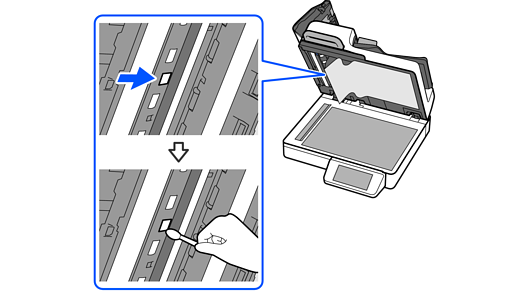
Wipe off any stains from the area shown in the illustration.
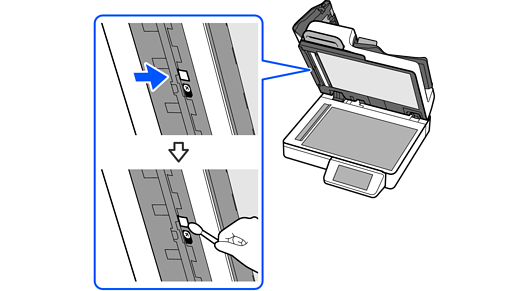
Open the cover under the document mat.
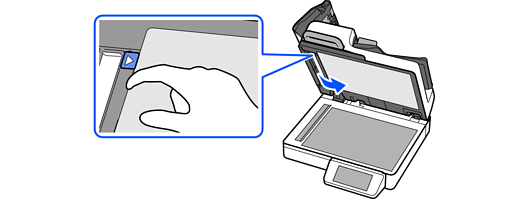
Be careful not to fold or damage the document mat.
Wipe off any stains from the area shown in the illustration.
Close the cover under the document mat.
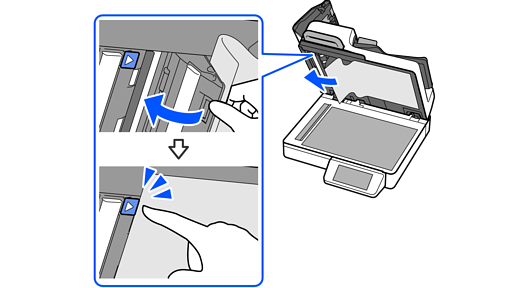
Close the cover gently.
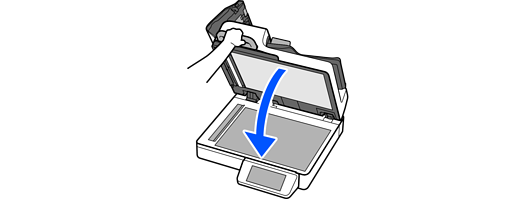
Close the ADF cover.