
"To use this function, you must sign in to your email service. Please contact your administrator." is displayed.
Check Web Config for the current status.
Select the Network tab > Email Server > Basic
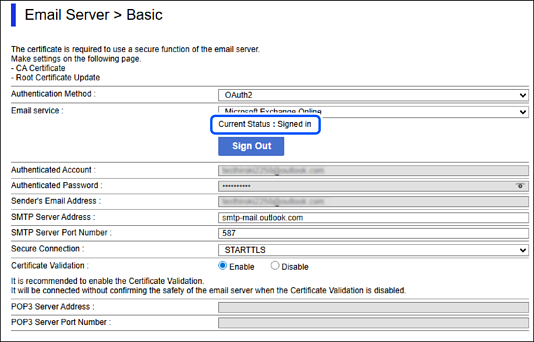
If the Current Status is Signed in, the sign-in information may not have been saved to the scanner. Click OK to send the setting information to the scanner.
If there is no Current Status and the Sign In button is displayed, sign in.
The cloud service or email service is not connected, or the connection has expired.
Connect to cloud service or email service.
You need to sign in to cloud service again.
Sign in to cloud service.