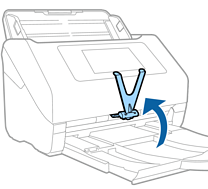

Insert the Paper Alignment Plate into the installation hole at the bottom center of the control panel ( ), and then push in both sides of the plate until it clicks (
 ).
).
Raise the Paper Alignment Plate in the following situations.
When scanning thin paper: Paper cannot be ejected correctly.
When closing the output tray: The output tray cannot be stowed, and the Paper Alignment Plate may be damaged.