
|
|
|
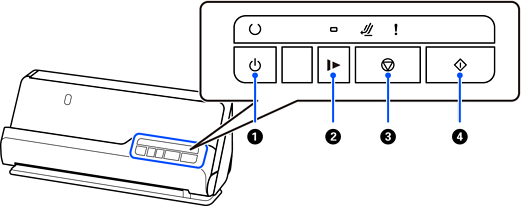
Power button |
Turns the scanner on or off. |
|
|
|
Slow mode button |
Slow down the feeding speed when scanning. The light is on when this is enabled. Press this button in the following situations:
|
|
|
|
Stop button |
|
|
|
|
Start button |
|


