
When the copied or scanned images from the ADF are smeared or the originals do not feed in the ADF correctly, clean the ADF.
Never use alcohol or thinner to clean the printer. These chemicals can damage the printer.
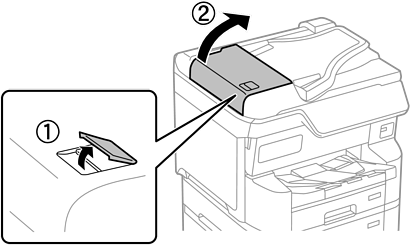
Open the ADF cover.
Use a soft, moist cloth to clean the roller and the interior of the ADF.
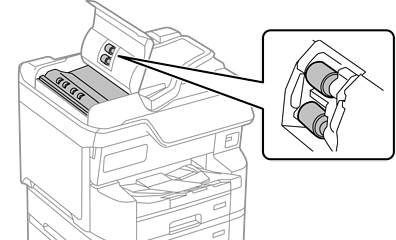
Using a dry cloth may damage the surface of the roller.
Use the ADF after the roller has dried.
Close the ADF cover, and then open the document cover.
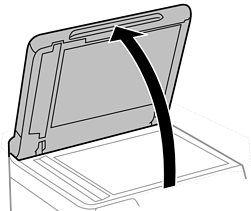
Clean the part that is shown in the illustration.
Repeat cleaning until there is no dirt remaining.

After cleaning off the dirt, wipe off all remaining liquid.
If the glass surface is stained with grease or some other hard-to-remove material, use a small amount of glass cleaner and a soft cloth to remove it.
Do not press the glass surface too hard.
Be careful not to scratch or damage the surface of the glass. A damaged glass surface can decrease the scan quality.