> Solving Problems > Printing, Copying, Scanning, and Faxing Quality is Poor > Copy Quality is Poor > Printouts are Blank or Only Some Lines are Printed

Printouts are Blank or Only Some Lines are Printed

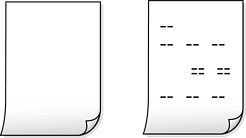
The print head nozzles may be clogged.

Solutions

Use the Print Quality Adjustment feature. If you have not used the printer for a long time, the print head nozzles may be clogged and ink drops may not be discharged.

The paper size in the print settings is incorrect.

Solutions

Make sure the paper size in the print settings matches the actual paper size.

Multiple sheets of paper are fed into the printer at the same time.

Solutions

See the following to prevent multiple sheets of paper from being fed into the printer at the same time.