> In These Situations > Moving and Transporting the Printer > Moving the Printer While the Optional Cabinet is Attached

Moving the Printer While the Optional Cabinet is Attached

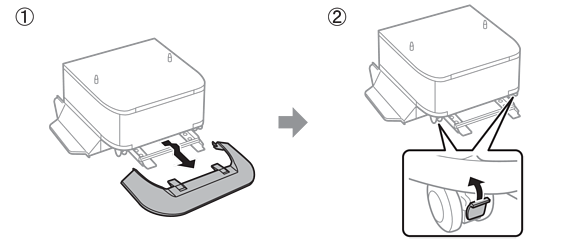
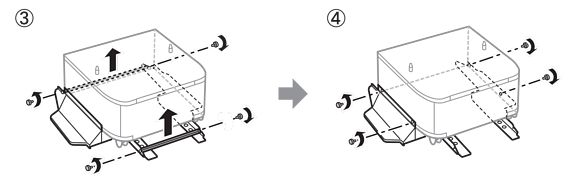
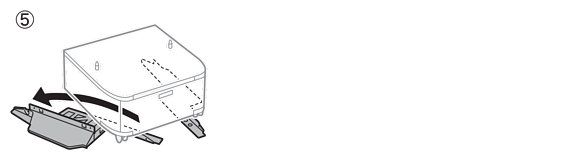
Before moving the printer, uninstall the cabinet's stand. Complete the steps for moving the printer, and then perform the steps in the following images.