
Use this connection method when you are not using Wi-Fi at home or at the office, or when you want to connect the scanner and the smart device directly. In this mode, the scanner acts as an access point and you can connect up to four devices to the scanner without having to use a standard access point. However, devices directly connected to the scanner cannot communicate with each other through the scanner.
AP mode is a connection method designed to replace Ad Hoc mode.
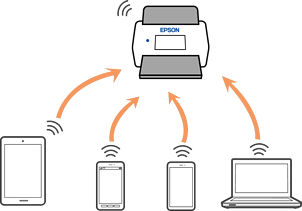
The scanner can be connected by Wi-Fi and AP mode simultaneously. However, if you start a network connection in AP mode when the scanner is connected by Wi-Fi, the Wi-Fi is temporarily disconnected.