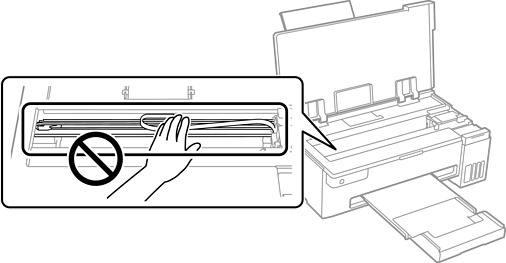
When the printouts are smeared or scuffed, clean the roller inside.
You need the cotton swab to perform the procedures from step 2.
Perform Paper Guide Cleaning from the printer driver to clean the paper path.
Repeat the above procedure until the paper is not smeared with ink.
When the problem cannot be cleared after cleaning the paper path, the part inside the printer that is shown in the illustration is smeared. Turn off the printer, and then wipe off the ink using a cotton swab.
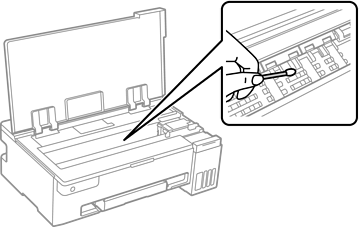
Do not use tissue paper to clean the inside of the printer. The print head nozzles may be clogged with lint.
Do not touch the white flat cable, translucent film, and ink tubes inside the printer. Doing so may cause a malfunction.