
Be careful not to trap your hand or fingers when opening or closing the scanner unit. Otherwise you may be injured.
Never touch the buttons on the control panel while your hand is inside the printer. If the printer starts operating, it could cause an injury. Be careful not to touch the protruding parts to avoid injury.
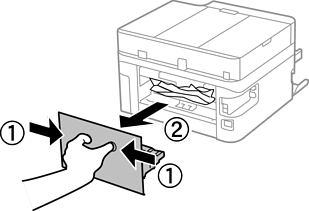
Remove the rear cover.
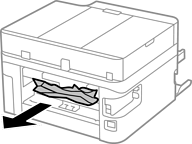
Remove the jammed paper.
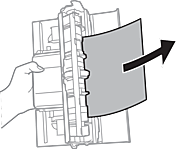
Remove jammed paper from the rear cover.
Insert the rear cover in the printer.
Close the document cover if it is open.
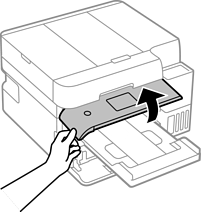
Raise the control panel.
Open the scanner unit until it clicks.
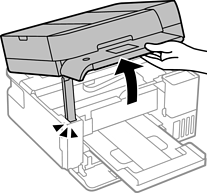
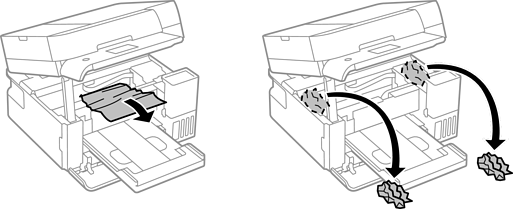
Remove the jammed paper.
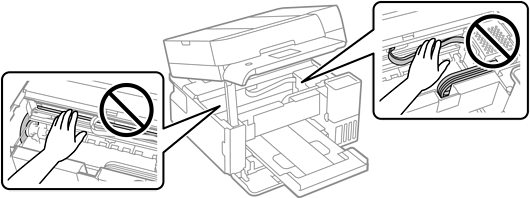
Do not touch the white flat cable, translucent film, and ink tubes inside the printer. Doing so may cause a malfunction.
Close the scanner unit.
For safety, the scanner unit is closed in two steps.
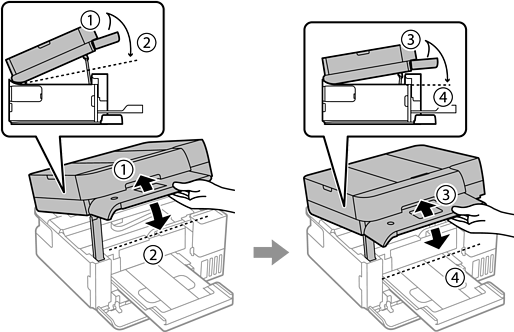
The scanner unit must be closed completely before it can be opened again.