
Although several computers can be connected to the same wireless router, each computer may be assigned a different SSID.
If the SSIDs assigned by the wireless router are not handled as the same network, then each computer is effectively connected to a different network. When you start setting up the printer from computer A, the printer is added to the same network as computer A allowing computer A to print from it.
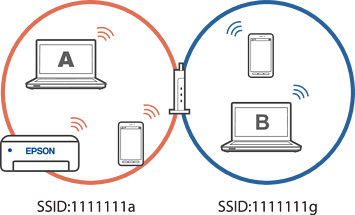
Furthermore, if you start setting up the printer from computer B in the configuration shown above, the printer is set up on computer B's network allowing computer B to print but not computer A.
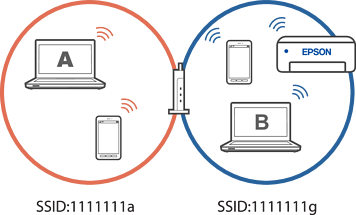
To prevent this from happening, when you want to connect the printer to a second computer, make sure the second computer is on the same network as the printer before you begin setup.