
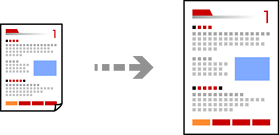
You can copy originals at a specified magnification.
Load paper in the printer.
Place the originals.
Select Copy on the control panel.
Select the Advanced Settings tab, and then select Reduce/Enlarge.
Specify the magnification to fit to the original size and the paper size that you set, and then select OK.
If you select Auto Fit Page, detects the scan area automatically and enlarges or reduces the original to fit to the paper size you selected.
Select the Copy tab.
Tap  .
.
If you select Preview, you can check the scanned image.
The color, size, and border of the copied image are slightly different from the original.