
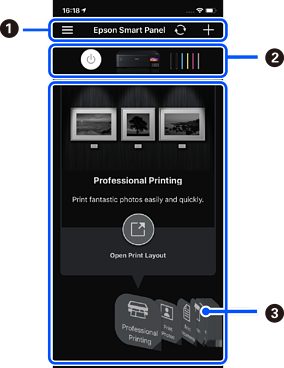
Start Epson Smart Panel from your smart device and select the item you want to use from the home screen.
The following screens are subject to change without notice. The contents may vary depending on the product.
|
|
|
|
|
Displays the printer name and ink levels. |
|
|
When you select the menu you want to use, the screen of the menu is displayed. |

 displays application settings and information on how to use the application.
  starts registering a printer.

