
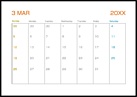
You can easily print a Monthly, Weekly, or Daily schedule.
Load paper in the printer.
Select Various Prints on the control panel.
Select Personal Stationery > Schedule.
Select the type of schedule.
When you select Monthly or Daily, set the date, and then select OK.
Make the paper settings.
Enter the number of copies, and then tap  .
.