
When the printouts are smeared or scuffed, clean the roller inside.
You need the following items to perform the procedures from step 4.
a slim stick
a well-wrung wet gauze or cloth
Select Maintenance on the printer's control panel.
Select Paper Guide Cleaning.
Follow the on-screen instructions to clean the paper path.
Repeat the above procedure until the paper is not smeared with ink. If the paper still gets dirty with ink even after cleaning several times, go to next step.
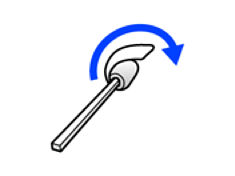
Wrap a well-wrung wet gauze or cloth around the tip of a slim stick.
Turn off the printer by pressing the  button.
Unplug the power cord, and then disconnect the power cord.
Slide out the output tray.

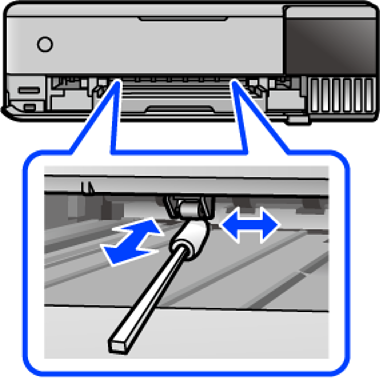
Use the stick you prepared in step 4 to wipe the two white rollers by rotating them.
Do not use tissue paper to clean the inside of the printer. The print head nozzles may be clogged with lint.
Connect the power cord.