
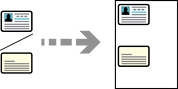
Scans both sides of an ID card and copies onto one side of A4 size paper.
Load paper in the printer.
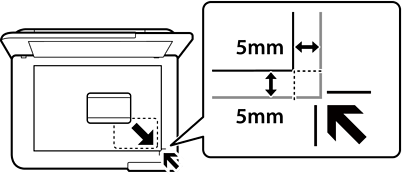
Place the original face-down and slide it to the corner mark.
Place an ID card 5 mm away from the corner mark of the scanner glass.
Select Various Prints on the control panel.
Select Various copies > ID Card.
Specify the paper source and paper size, and then select OK.
Select the Copy tab.
Tap  .
.
If you tap Preview, you can check the scanned image.
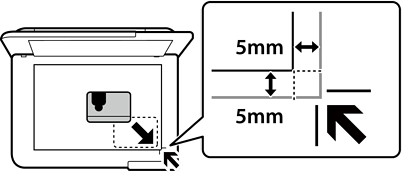
Follow the on-screen instructions to place the back of the original, and then tap Start Scanning.
Place an ID card 5 mm away from the corner mark of the scanner glass.
The color, size, and border of the copied image are slightly different from the original.