
Turn off the printer by pressing the  button.
Close the document cover if it is open.
Open the scanner unit with both hands until it locks.
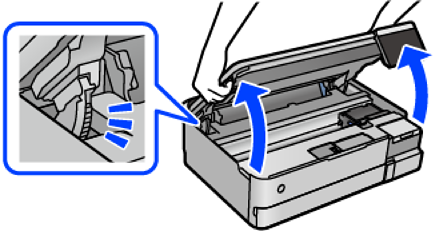
Use a cotton swab to wipe off ink from the parts inside the printer that are shown in the following illustration.
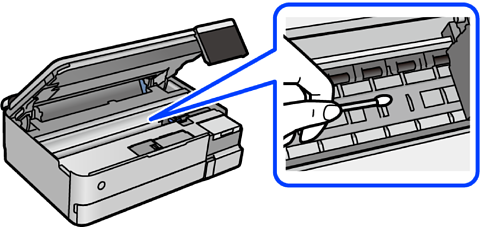
Do not use tissue paper to clean the inside of the printer. The print head nozzles may be clogged with lint.
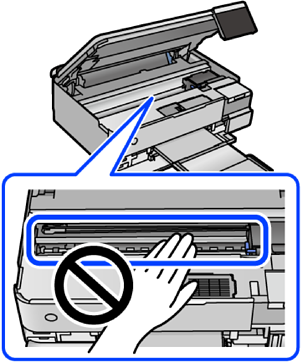
Do not touch the section shown in the following illustration. Doing so may cause a malfunction.
Close the scanner unit.
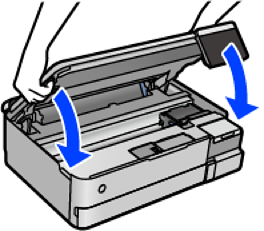
The scanner unit is designed to close slowly and resist a little as a precaution against catching fingers. Continue to close even if you feel some resistance.