
You can copy originals at a specified magnification.
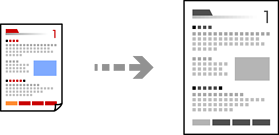
Load paper in the printer.
Place the originals.
Select Copy on the home screen.
To select an item, use the


 buttons, and then press the
OK button.
buttons, and then press the
OK button.
Set the number of copies using the button.
Press the OK button, and then press the button.
Specify Reduce/Enlarge using the buttons, and then change the magnification using the buttons.
If you want to copy by reducing or enlarging the size of a document by a specific percentage, select Custom as the Reduce/Enlarge setting, press the button, and then press the button to specify a percentage. You can change the percentage in increments of 10% by holding down the buttons.
Change the other settings as necessary.
Press the OK button, and then press the  button.
The size and border of the copied image are slightly different from the original.