
Pull out the paper support.
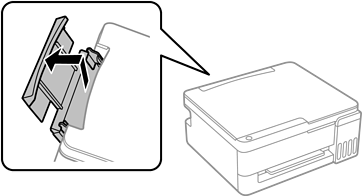
Slide out the edge guides.
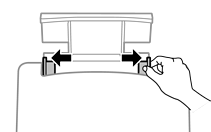
Load paper at the center of the paper support with the printable side face-up.
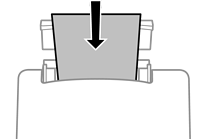
Do not load more than the maximum number of sheets specified for the paper. For plain paper, do not load above the line just under the  symbols on the edge guides.
Load paper short edge first. However, when you have set the long edge as the width of the user defined size, load paper long edge first.
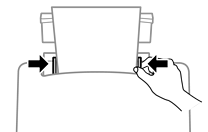
Slide the edge guides to the edges of the paper.
The  light or the light for the paper used last (,
  , or
, or  ) turns on when loading the paper. When you print using the printer driver or make a copy, you can ignore the light. When you print using AirPrint or Mopria, press the
  button to select the light for the paper loaded in the printer.
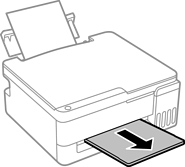
Slide out the output tray.
Return the remaining paper to its package. If you leave it in the printer, the paper may curl or the print quality may decline.