
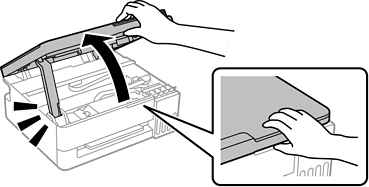
Open the scanner unit until it clicks.
Open the ink tank cap.
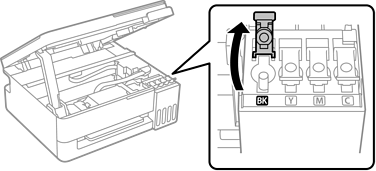
Make sure that the color of the ink tank matches the ink color that you want to refill.
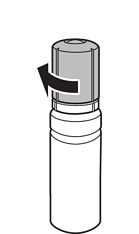
While holding the ink bottle upright, turn the cap slowly to remove it.
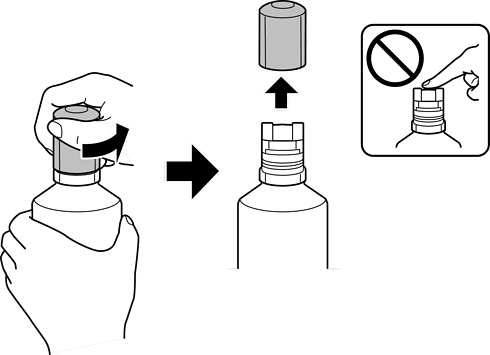
Epson recommends the use of genuine Epson ink bottles.
Be careful not to spill any ink.
Do not touch the top of the ink bottle after removing the cap; otherwise ink may get on your hands.
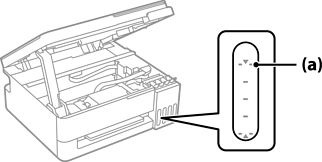
Check the upper line (a) in the ink tank.
Align the top of the ink bottle with the filling port, and then insert it straight into the port to fill ink until it stops automatically at the upper line.
When you insert the ink bottle into the filling port for the correct color, ink starts pouring and the flow stops automatically when the ink reaches the upper line.
However, do not remove and reinsert the ink bottle when the ink has reached the upper line; otherwise ink may leak or the printer may be damaged if the ink rises above the upper line.
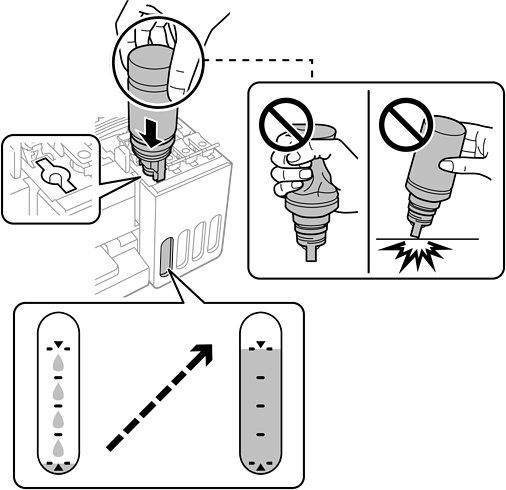
When you have finished filling the ink, remove the ink bottle.
Do not leave the ink bottle inserted; otherwise the bottle may be damaged or ink may leak.
If any ink remains in the ink bottle, tighten the cap and store the bottle upright for later use.
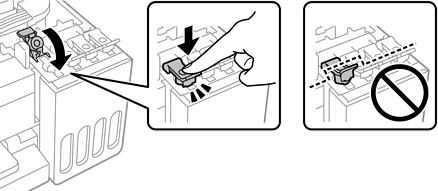
Close the ink tank cap securely.
Close the scanner unit.
For safety, the scanner unit is closed in two steps.
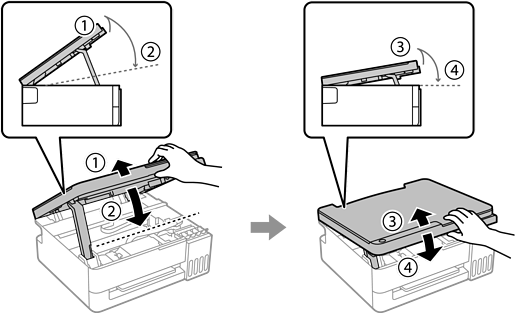
The scanner unit must be closed completely before it can be opened again.