
If printed bar codes cannot be read correctly, you can print them more clearly by reducing the ink bleeding. Only enable this feature if the bar code you printed cannot be scanned. Deblurring may not always be possible depending on the circumstances.
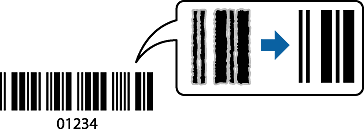
You can use this feature for the following paper types and print quality.
Paper Type: Plain paper or Envelope
Quality: Standard
Access the printer driver, and then select the following settings.
Maintenance tab > Extended Settings > Barcode mode