
When loading paper longer than legal size, store the paper support, and then flatten the leading edge of the paper. Select User-Defined as the paper size setting.
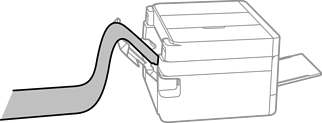
Make sure the leading edge of the paper is cut perpendicularly. A diagonal cut may cause paper feed problems.
Long paper cannot be held in the output tray. Make sure that paper does not fall on the floor.
Do not touch paper that is being fed or ejected. It could injure your hand or cause print quality to decline.