One of the following situations may be the cause.
Solutions
Use originals supported by the ADF.
ADF Specifications
Load originals in the correct direction, and slide the ADF edge guide against the edge of the originals.
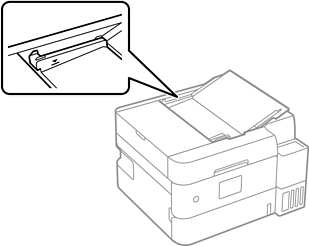
Do not load originals above the line indicated by the triangle symbol on the ADF.
Reduce the amount of paper being loaded.
Clean the inside of the ADF.
Cleaning the ADF
On the screen for copy, scan, check that the ADF icon is on. If it is off, place the originals again.