Cannot Print Well Using Custom Templates
The Design Editing Area may have been created under the following conditions.
-
The Template Image (PNG with transparency) is not the correct size
-
The design features multiple photo frames
-
The photo frame is small
Note the following points when creating an Custom Templates design.
-
The Template Image (PNG with transparency) size (number of pixels) is not correct
Create the Template Image (PNG with transparency) at a resolution of 600 dpi at the actual size (the Print Size set in Craft Admin).
If the actual size of each item is different, create a Template Image (PNG with transparency) for each item and register an Custom Templates.
If the size (number of pixels) is correct
If the size (number of pixels) is not correct
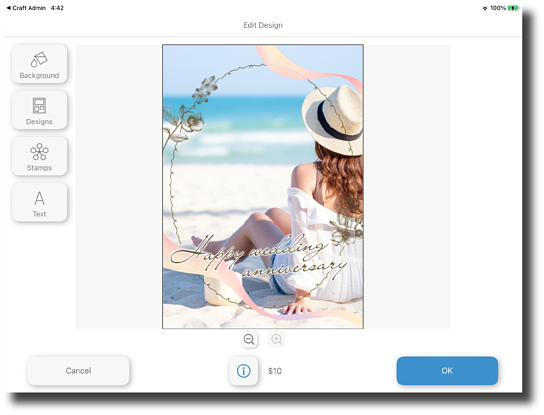
The Print Size and Template Image (PNG with transparency) size match, so there are no gaps around the image.
Print Size and Template Image (PNG with transparency) size
-
Print Size: A4 210 x 297 mm
-
Template Image (PNG with transparency) size: A4 210 x 297 mm
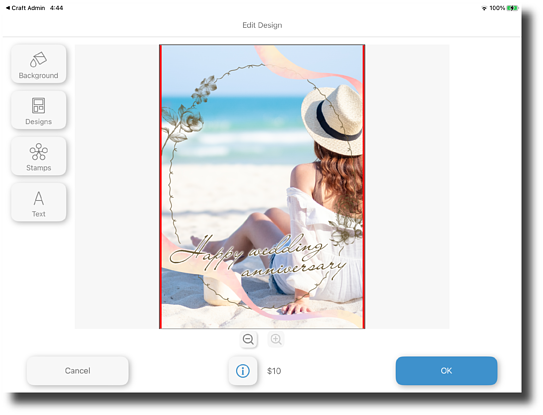
There are gaps around the image (red areas).
Print Size and Template Image (PNG with transparency) size
-
Print Size: User-defined size (215 x 297 mm)
-
Template Image size: A4 210 x 297 mm
-
-
The design features multiple photo frames
When printing using an Custom Templates, you can only select one image from Craft Designer, so designs with multiple photo frames cannot be used.
Create one photo frame.
Expected print results
Actual print results
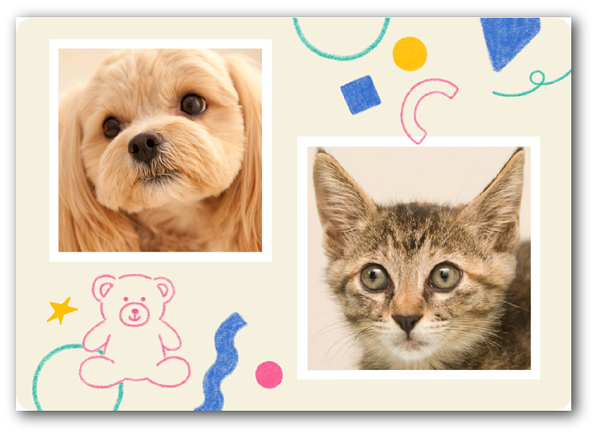
You can set an image in each photo frame.
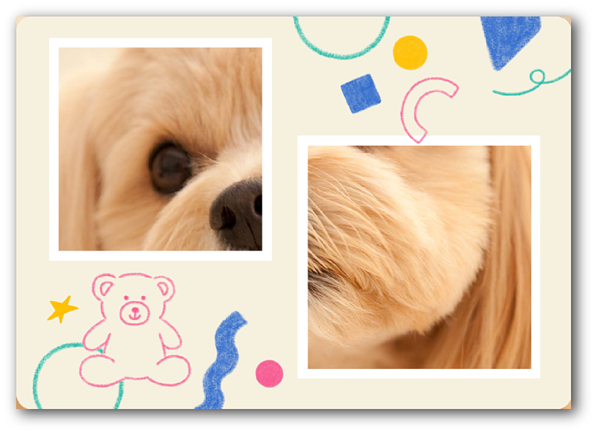
Since multiple images cannot be set, parts of the image extend beyond the photo frame.