
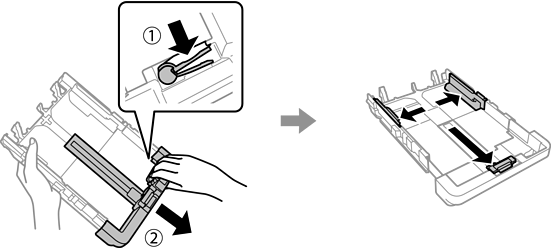
When loading Legal size or longer, extend the paper cassette.
Extend the paper cassette, and then slide the edge guides to their maximum positions.
Select User-Defined as the paper size setting.
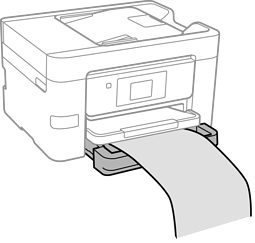
Make sure the leading edge of the paper is cut perpendicularly. A diagonal cut may cause paper feed problems.
If the paper is curled, flatten it or curl it slightly in the opposite direction before loading. Printing on curled paper may cause paper jams and smears on the printout.
Do not touch paper that is being fed or ejected. It could injure your hand or cause print quality to decline.