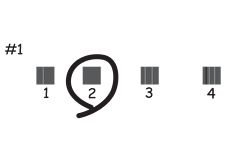
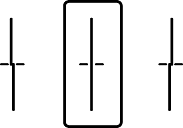
If you notice a misaligned vertical lines, blurred images, or horizontal banding, adjust the print quality.
Select Maintenance on the printer's control panel.
To select an item, use the


 buttons, and then press the
OK button.
buttons, and then press the
OK button.
Select Print Quality Adjustment.
Follow the on-screen instructions to load paper and print the nozzle check pattern.
Examine the printed pattern.
 to clean the print head.
 to proceed to the next adjustment.
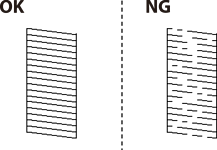
Follow the on-screen instructions to print the patterns for print head alignment, and then align the print head.