
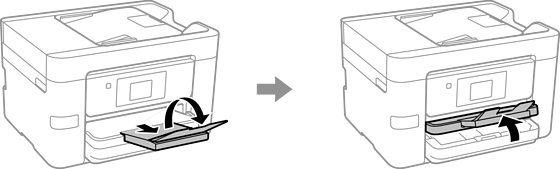
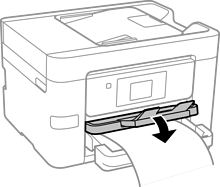
When loading paper longer than legal size, extend the output tray and then raise it.
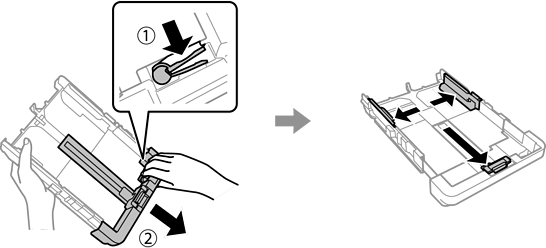
Extend the paper cassette, and then slide the edge guides to their maximum positions.
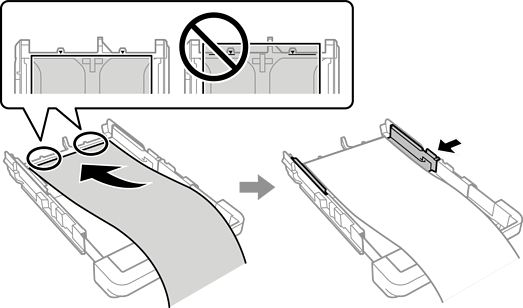
With the printable side facing down, load a single sheet of paper that does not extend beyond the triangle symbol at the end of the cassette. Slide the edge guide to the edge of the paper.
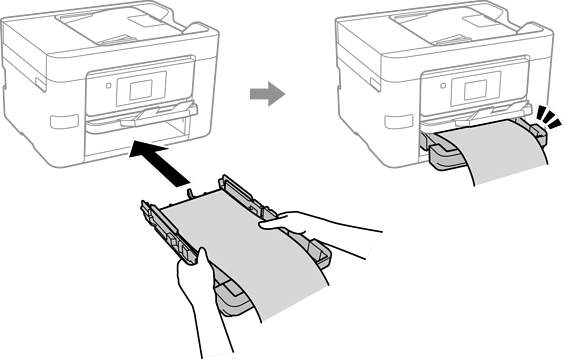
While holding the paper steady with your hands, insert the paper cassette until it clicks.
Lower the output tray. Select User-Defined as the paper size setting.
Make sure the end of the paper is cut perpendicularly. A diagonal cut may cause paper feed problems.
If the paper is curled, flatten it or curl it slightly in the opposite direction before loading. Printing on curled paper may cause paper jams and smears on the printout.
Do not touch paper that is being fed or ejected. It could injure your hand or cause print quality to decline.