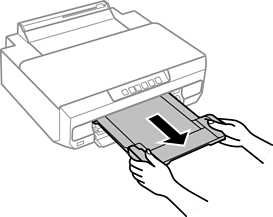
When the output tray is ejected, check that there is no paper on the tray, and then close it by pushing it with your hand.
Open the front cover until it clicks.
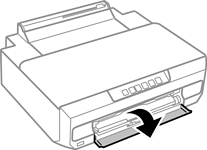
Check that the printer is not operating, and then slide out the paper cassette 2.
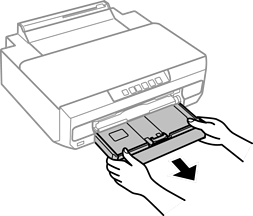
Slide the edge guides to their maximum position.
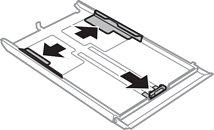
Slide the front edge guide to the paper size you want to use.
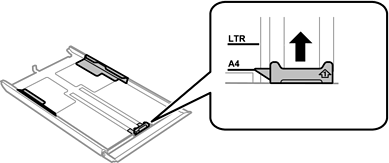
With the printable side facing down, load paper against the front edge guide.
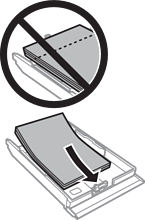
Make sure the paper does not extend beyond the triangle symbol at the end of the cassette.
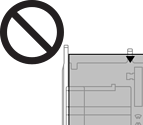
Do not load more than the maximum number of sheets specified for the paper. For plain paper, do not load above the line just under the triangle symbol inside the edge guide.
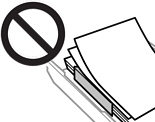
Do not load different types of paper in the cassette.
For paper longer than A4 size, load paper toward the arrow mark in the end of the cassette and load the paper so that it protrudes from the cassette. Do not push paper that protrudes from the cassette.
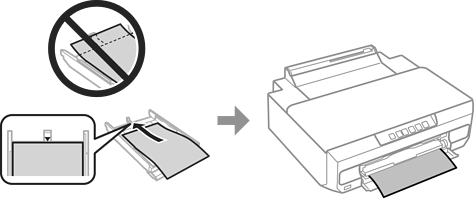
Slide the edge guide to the edge of the paper.
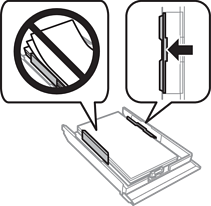
Insert paper cassette 2 as far as it will go.
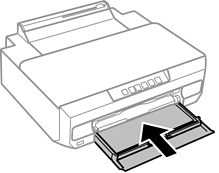
Slide out the output tray.