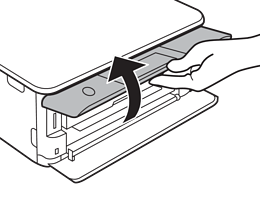
Raise the control panel.
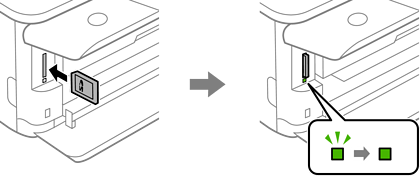
Insert a memory card into the printer.
The printer starts reading the data and the light flashes. When reading is complete, the light stops flashing and remains on.
Insert a memory card straight into the printer.