
Make sure the light is not flashing, and then remove the card.
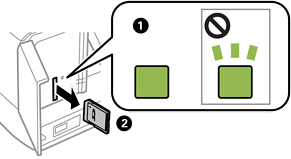
If you remove the memory card while the light is flashing, the data in the memory card may be lost.
If you access the memory card from a computer, you need to operate the computer to safely remove the removable device.