
You can send scanned images to cloud services. Before using this feature, register the product with Epson Connect. See the following Epson Connect portal website for details.
https://epson.com/connect (U.S.)
https://epson.ca/connect (Canada)
http://www.epsonconnect.eu (Europe)
https://www.epsonconnect.ae (Middle East, Türkiye, Africa, Central and West Asia)
https://www.epsonconnect.com/ (Other regions)
Make sure you registered the product with Epson Connect.
Place the originals.
Select Scan on the control panel.
Select Cloud.
Select  on the top of the screen, and then select a destination.
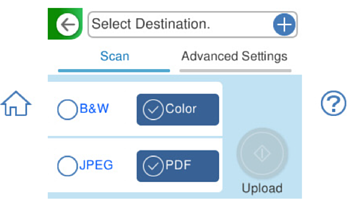
Select items on the Scan tab, such as the save format.
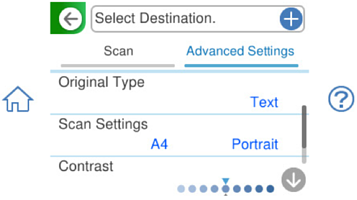
Select the Advanced Settings tab and change settings as needed.
Select the Scan tab again, and then tap  .
.
The color, size, and border of the scanned images will not be exactly the same as the originals.