
When paper is not fed from the paper cassette correctly, clean the roller inside.
Turn off the printer by pressing the  button.
Unplug the power cord, and then disconnect it.
Disconnect the USB cable, and then remove any memory card or external USB device.
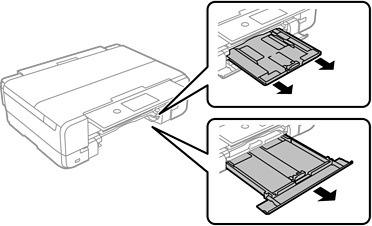
Slide out the paper cassette.
Stand the printer with the button at the top.
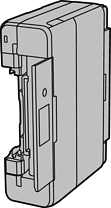
Be careful not to trap your hand or fingers when standing the printer. Otherwise you may be injured.
Do not leave the printer standing for a long time.
Dampen a cloth with water, wring it out thoroughly, and then wipe the rollers while rotating them with the cloth.
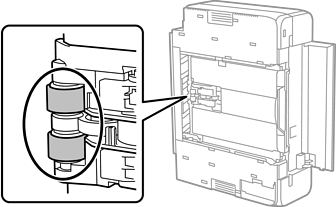
Return the printer to its normal position, and then insert the paper cassette.
Connect the power cord.
If you still have a paper feeding problem after completing the process, trying loading the paper in a different paper source. First try paper cassette 1, then paper cassette 2, and then the rear paper feed slot.
Paper cassette 1 > Paper cassette 2 > Rear paper feed slot