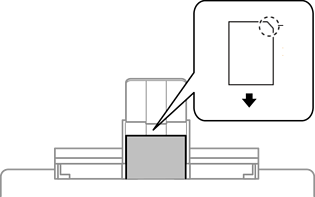
Follow the instructions supplied with the stickers to load one sheet of Epson Photo Stickers. Do not load the loading support sheets into this product.
With the printable side facing down, load a sticker against the back of paper cassette 1 or paper cassette 2. Slide the edge guides to the edges of the sticker.

Load a sticker at the center of the rear paper feed slot with the printable side facing up. Slide the edge guides to the edges of the sticker.