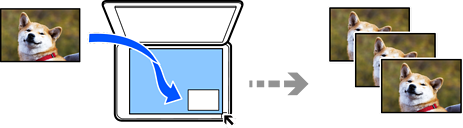
You can copy photos easily. You can also restore the color of faded photos.
Select the following settings on the LCD screen.
Various Prints > Various copies > Copy/Restore Photos
The smallest size original you can copy is 30×40 mm (1.2×1.6 in.).
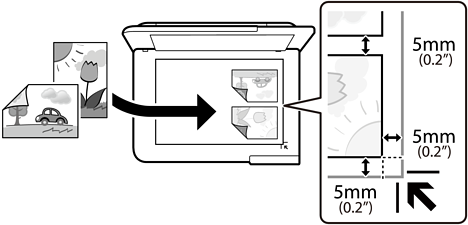
Place the photos 5 mm (0.2 in.) away from the corner mark of the scanner glass. You can place multiple photos and photos of different sizes.
When placing multiple photos, leave a gap of at least 5 mm (0.2 in.) between the photos.
Maximum size: 10×15 cm (4×6 in.)