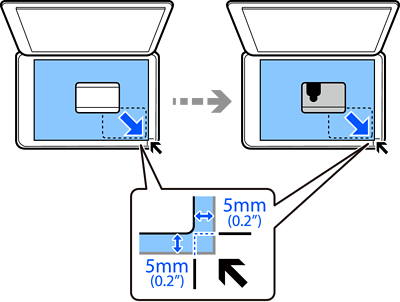
You can scan both sides of an ID card and copy it onto one side of Letter or A4 size paper.
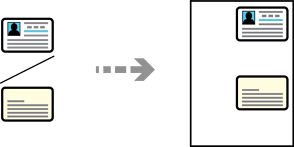
Select the following settings on the LCD screen.
Various Prints > Various copies > ID Card
Place the original face-down and slide it to the corner mark. Place an ID card 5 mm (0.2 in.) away from the corner mark of the scanner glass.