Exporting to MYOB Essentials
You can export the invoice or receipt data to MYOB Essentials.
-
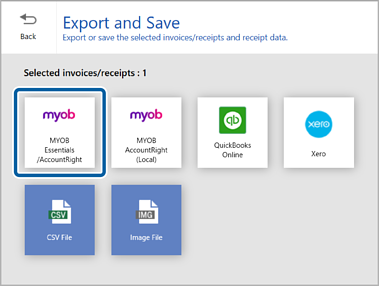
Click MYOB Essentials/AccountRight in the Export and Save window.
When the confirmation message appears, click Yes to proceed.
-
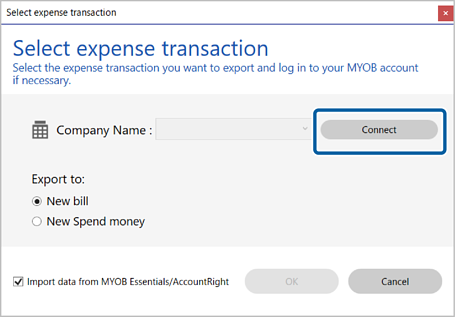
Click Connect and log in to your MYOB Essentials account if necessary.
-
Select the expense transaction you want to export the data to.
Note:Select the checkbox if you want to import items such as vendors and classifications from MYOB Essentials.
-
Click OK.
The scanned invoice or receipt data is exported.