
You can install the printer stand on the paper cassette unit or the printer directly.
The instructions below describe installing on the paper cassette unit as an example. We recommend using the printer stand if you install the paper cassette units.
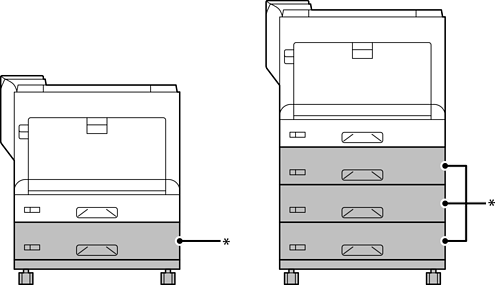
*: You can add three paper cassette units.
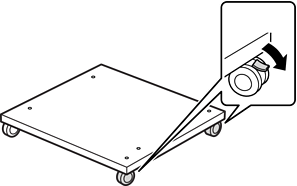
Place the printer stand on a flat surface and lock the front casters.
Keep the casters locked to prevent the printer from moving.
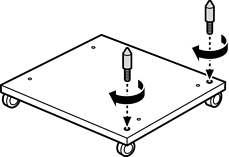
Install two guide pins on the printer stand.
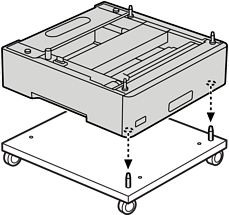
Set the lowest paper cassette unit on the printer stand. Align each of the holes on the bottom with the guide pins.
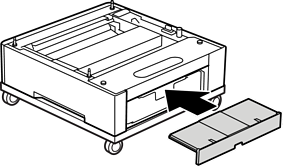
Remove the back cover of the upper paper cassette unit.

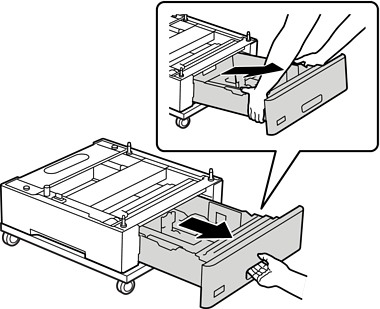
Pull out the upper paper cassette.
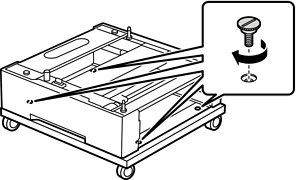
Fix the paper cassette unit to the printer stand with four screws.
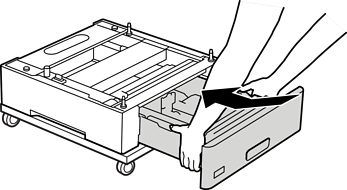
Reinsert the paper cassette into the paper cassette unit.
Reinstall the back cover removed.
See the Related Information when installing the printer on the paper cassette unit or the printer stand.