
Paper tray
When printing on two sides, load preprinted paper with the side you want to print on first (first page) facing down. Use one of the orientations shown in the illustration.
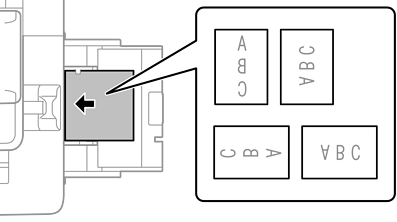
Paper cassette
When printing on two sides, load preprinted paper with the side you want to print on first (first page) facing up. Use one of the orientations shown in the illustration.
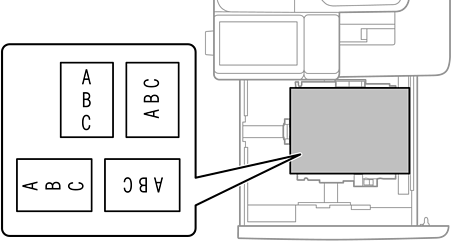
Select Preprinted or Letterhead as the paper type on the paper settings screen displayed on the control panel.
You can also display the paper settings screen by selecting  on the control panel.
Check the printer driver settings.