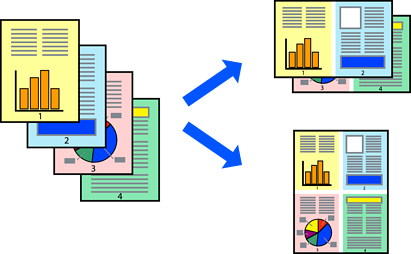
You can print several pages of data on a single sheet of paper.
Select Layout from the pop-up menu.
Set the number of pages in Pages per Sheet, the Layout Direction (page order), and Border.
Select other settings as necessary.
Click Print.
Loading Paper Using Instructions on the LCD Screen
Printing Using Easy Settings