
> Printing > Printing Documents > Printing from a Computer - Windows > Printing to Fit the Paper Size

Printing to Fit the Paper Size

Select the paper size you loaded as the Destination Paper Size setting.
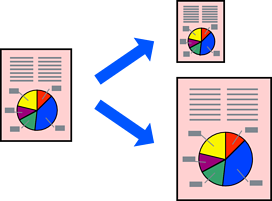
  1. On the printer driver's Main tab, set the following settings.

    • Document Size: Select the size of the paper you selected in the application.
    • Output Paper: Select the paper size you loaded in the printer.
      Fit to Page is automatically selected.
    Note:

    Click Center to print the reduced image in the middle of the paper.

  2. Select other settings on the Main, Finishing, or More Options tabs as necessary, and then click OK.

    Main Tab

    Finishing Tab

    More Options Tab

  3. Click Print.